
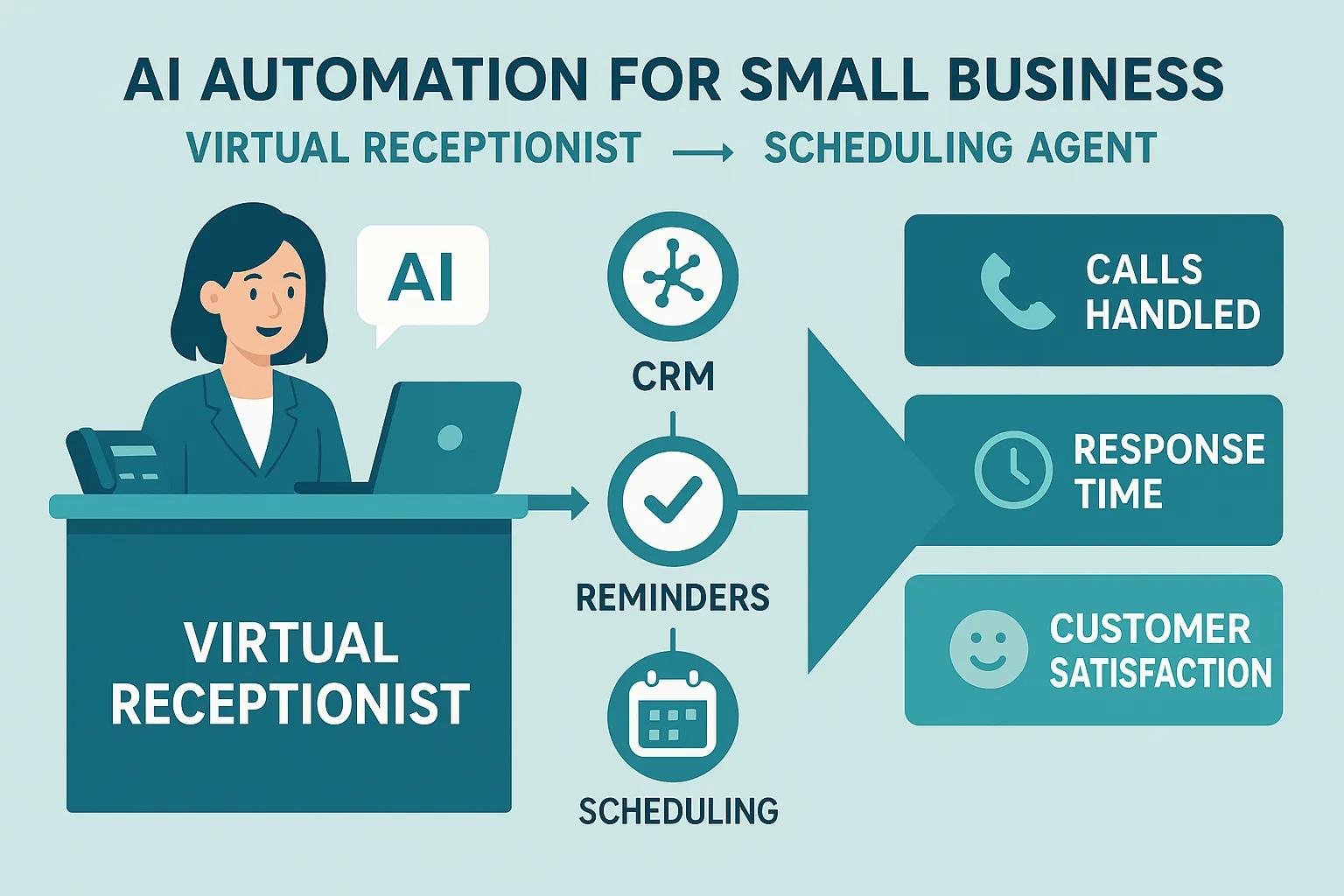
AI Automation for Small Businesses: Free up time with virtual receptionists and smart scheduling agents

AI automation lets small businesses offload routine customer interactions and admin chores to machine intelligence so owners and teams can focus on revenue-generating work. Virtual receptionists and scheduling agents handle inquiries, qualify leads, and book or confirm appointments—cutting down manual triage and smoothing scheduling friction. This guide breaks down what AI automation looks like in practice, how reception and scheduling bots lift service and operational efficiency, and which advanced workflows, rollout steps, and ROI checks matter most. You’ll get practical feature checklists, integration and compliance notes for regulated industries, and an actionable pilot checklist with real-world workflows, feature comparisons, and KPI templates to evaluate AI receptionist and automated scheduling options for your business.
What Is AI Automation and How Does It Benefit Small Businesses?
For small businesses, AI automation means software that takes care of repetitive, rules-based work—answering calls, routing messages, and managing bookings—using natural language understanding and workflow orchestration. These tools take first-touch interactions off your team’s plate and automate follow-ups, freeing up time for strategy and sales. The immediate benefits are time savings, lower operating costs, and a better customer experience thanks to faster responses and 24/7 availability. Recent market shifts show small businesses are adopting virtual receptionists and automated scheduling to scale service without hiring proportionally, which makes these solutions especially useful for lean teams.
Research also shows many small businesses capture meaningful value from AI with relatively low initial outlay.
AI Implementation for Small Business Efficiency
This paper gives an overview of AI adoption in small businesses and evaluates whether AI is practical for day-to-day operations. Most respondents reported that AI tools improve efficiency and that implementation costs are often low because many solutions are free or inexpensive to start with.
Artificial Intelligence Implementation in Small Businesses, 2023
At AutomaShawn LLC we take a pragmatic, risk-aware approach: we build quick, validated automations that show measurable ROI while including documentation and staff training in every rollout. Founder Shawn Miller draws on a background in quality assurance, engineering, and regulated-system validation to design automations that are efficient and compliant. That balance—speed without losing control—helps small businesses move faster while keeping necessary safeguards in place. The next section explains the productivity mechanics behind these gains.
How Does AI Automation Improve Small Business Productivity?
AI automation boosts productivity by taking over repetitive tasks, speeding up response times, and cutting manual data-entry errors that sap team hours. When virtual receptionists capture contact details and book appointments automatically, owners often reclaim multiple hours a week previously spent returning calls and juggling calendars. Automation also enforces consistent follow-up and reminder rhythms, which cuts lost opportunities and rework from missed or mis-booked appointments. These improvements stack: as you automate more customer touchpoints, productivity gains scale. The section that follows outlines the concrete benefits you can expect.
What Are the Key Benefits of AI Automation for Small Businesses?
AI automation drives both top-line and operational improvements: lower admin overhead, quicker customer responses, around-the-clock availability, and richer data capture for smarter decisions. Automated systems usually reduce per-interaction costs compared with manual handling and can increase booking conversion by offering immediate, streamlined options. Structured intake—service interest, budget range, timeline—feeds your CRM and marketing tools so lead nurturing becomes more targeted. Knowing these benefits helps you prioritize pilot workflows; next we’ll look at how virtual receptionists deliver those day-to-day advantages.
How Do AI Virtual Receptionists Enhance Customer Service and Lead Management?
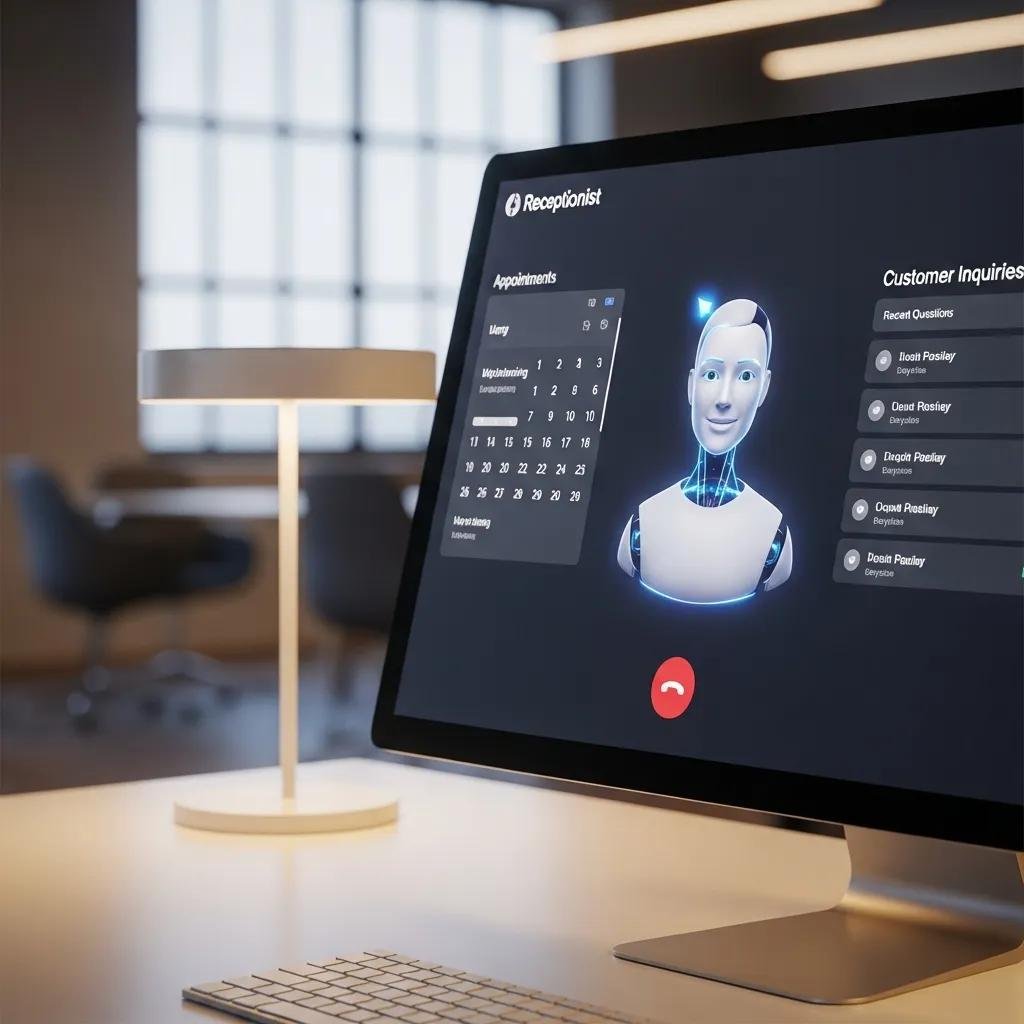
AI virtual receptionists pick up incoming calls and messages, capture intent and contact details, run qualification scripts, and either book appointments or route high-priority contacts to a human. Combined with CRM and calendar integration, they reduce missed calls and speed lead response—often improving conversion. By running 24/7, virtual receptionists close gaps when staff aren’t available and catch opportunities that would otherwise slip away. Below, a short feature comparison shows how lead qualification pipelines and CRM sync work together to improve service and lead management.
Platforms vary in strengths; use the comparison below to evaluate which capabilities matter most for your setup. The following subsection drills into the features that make receptionists effective for small businesses.
| Capability | Characteristic | Typical Value |
|---|---|---|
| 24/7 Support | Constant handling of inbound inquiries | Immediate response availability |
| Lead Qualification | Guided question flows + scoring rules | Higher-quality handoffs to sales |
| CRM Integration | Automatically pushes contacts and activity into CRM | Faster follow-up and attribution |
| Call Routing Module | Rules-based transfer to staff | Fewer missed high-value calls |
What Features Make AI Virtual Receptionists Effective for Small Businesses?
Virtual receptionists work best when they combine strong natural language understanding, editable scripts, and dependable CRM and calendar integrations. NLP converts freeform voice or chat input into structured fields for downstream systems, while customizable scripts make intake match your qualification needs. Analytics and reporting give visibility into call volume, resolution rates, and contact-to-booking conversion so teams can tune flows. Together, these features reduce friction and create predictable intake that can feed other automations—like marketing sequences and scheduling—explained further below.
- The three core features and why they matter: Natural Language Understanding: Parses caller intent accurately so fewer handoffs are needed. CRM Sync: Records contact data and interaction history for timely follow-up. Custom Handoff Rules: Prioritizes and routes high-value leads to humans quickly.
How Do AI Receptionists Qualify Leads and Provide 24/7 Support?
AI receptionists qualify leads with scripted question flows and scoring—asking about intent, budget, and timeline to calculate a score and decide the next step. Based on thresholds, the system will book an appointment, create a CRM task, or escalate to sales. 24/7 availability means leads captured after hours still get immediate responses and scheduled follow-ups, cutting missed opportunities and improving impressions. Escalation rules and human-in-the-loop handoffs keep complex cases high-quality while routine intake stays automated.
| Feature | Attribute | Value |
|---|---|---|
| Qualification Logic | Questions, scoring, routing | Automates lead triage |
| Escalation Rules | Human handoff thresholds | Ensures complex leads get attention |
| 24/7 Coverage | After-hours handling | Reduces missed opportunities |
| Analytics | Conversion metrics by channel | Improves qualification flows |
This table maps features to outcomes; next we’ll cover how scheduling agents complement receptionists by automating appointments and confirmations.
How Can Automated Appointment Scheduling Streamline Your Business Operations?

Automated scheduling agents offer self-service booking links, two-way calendar sync, and configurable reminder engines to eliminate back-and-forth coordination. By exposing available slots and enforcing buffer rules in the booking flow, they prevent double-booking and handle prep or cleanup time automatically. SMS and email confirmations and reminders cut no-shows, and optional deposits or prepayments reduce cancellations. Together, these features reduce the time staff spend managing calendars and increase booking conversion by giving customers immediate, simple ways to secure services.
The next section highlights specific benefits of AI-powered scheduling agents and includes a compact capability comparison to aid evaluation.
What Are the Benefits of AI-Powered Scheduling Agents for Small Businesses?
AI scheduling agents trim admin time by automating booking, rescheduling, and conflict checking so staff can focus on delivering services. Customers get the convenience of 24/7 self-service to book or change appointments without waiting for office hours, which typically lifts conversion from inquiry to scheduled visit. Common gains include faster lead-to-appointment turnaround, fewer scheduling mistakes, and measurable drops in no-shows. A typical booking flow captures service type and client preferences, checks availability, applies buffers, and confirms with reminders—streamlining the full scheduling lifecycle.
- Key benefits at a glance: Admin Time Reduction: Less manual scheduling work for staff. Customer Convenience: 24/7 booking widens opportunity windows. Higher Booking Rates: Immediate booking removes friction between inquiry and appointment.
These advantages naturally lead to features focused on no-show reduction and calendar integration, explained next.
How Does Automated Scheduling Reduce No-Shows and Integrate with Calendars?
Automated scheduling lowers no-shows with confirmations, multi-step reminders, and optional deposits or pre-appointment forms that raise commitment. Two-way calendar sync with Google Calendar or Microsoft Outlook updates availability in real time, preventing double-booking and immediately reflecting cancellations or reschedules. Effective reminder cadences—confirmation at booking, a 48-hour reminder, and a final 1–2 hour prompt—plus easy reschedule links typically cut no-show rates substantially. Buffer rules and conflict detection protect service time and reduce last-minute overruns that disrupt the day.
| Capability | Attribute | Outcome |
|---|---|---|
| Calendar Sync | Two-way (Google Calendar/Microsoft Outlook) | Prevents double-booking |
| Reminder Engine | Multi-touch reminders | Reduces no-show rate |
| Buffer Management | Prep and turnover buffers | Protects schedule integrity |
| Payment Options | Deposit or prepay | Increases show rate |
The table above links scheduling components to practical outcomes; next we’ll explore advanced automations that extend beyond reception and scheduling.
What Advanced AI Automation Workflows Go Beyond Reception and Scheduling?
Advanced workflows connect intake to marketing, CRM updates, transcription, and compliance-aware processes to create end-to-end automation that delivers value past the first contact. For example, receptionist intake can trigger a segmented nurture sequence in your marketing platform, while call transcripts feed searchable records for quality review and training. Back-office tasks—automatic data entry, invoice triggers, and document generation—cut manual handoffs across teams. Regulated businesses layer in validation steps, audit trails, and controlled data handling so automation remains compliant while still delivering efficiency.
The subsections that follow show how AI supports marketing automation and why validation and compliance matter for regulated clients.
How Does AI Support Marketing Automation and Lead Nurturing?
AI ties receptionist and scheduling data into marketing platforms to trigger personalized drip campaigns, segment leads by behavior, and tailor messaging from captured attributes. A lead flagged with “service interest: X” can be auto-enrolled in targeted content and booking prompts, with AI fine-tuning cadence based on engagement. This closed-loop approach improves attribution—tracking the journey from first contact to booked appointment—and produces KPIs like open and conversion rates. Integration reduces manual campaign setup and helps ensure follow-ups hit at the right time to lift conversions.
- Typical automation flow: Intake: Receptionist captures lead attributes and intent. Segment: Lead assigned to a targeted nurture path. Nurture: Personalized messages guide the lead toward booking or sales outreach.
These steps show how automation closes the loop from capture to conversion; the next section covers validation and compliance for regulated industries.
What Role Does Compliance and Validation Play in AI Automation for Regulated Industries?
In regulated fields—biotech, medical device, and similar—automation must provide audit trails, preserve data integrity, and include validation documentation to meet regulatory requirements. Validation confirms workflows run consistently and changes are documented; audit logs show who did what and when. At AutomaShawn LLC we follow a pragmatic, risk-based validation approach and maintain documentation as part of deployments for regulated clients, ensuring intake, scheduling, and data transfers meet necessary controls. Building these safeguards into automation reduces regulatory risk while unlocking efficiency gains.
| Process Area | Validation Attribute | Compliance Outcome |
|---|---|---|
| Intake Capture | Audit trail of submissions | Traceability for regulated workflows |
| Data Transfer | Secure, documented handoffs | Maintains data integrity |
| Workflow Changes | Versioned change logs | Demonstrable control over updates |
The table lists validation touchpoints that support compliance; now we turn to practical implementation guidance for small businesses.
How Can Small Businesses Successfully Implement AI Automation Solutions?
Successful implementation follows a simple roadmap: assess needs, define scope, pick compatible tools, run a time-boxed pilot, train staff, and validate results before a full rollout. Start with a narrow use case—automating inbound calls or scheduling—so you can measure impact quickly and iterate without risking core operations. Choose tools that play well with your CRM and calendar, allow qualification-rule customizations, and provide reporting that matches your KPIs. Training and documentation help staff understand new roles and when to step in, which sustains adoption and maximizes automation value.
Below is a prioritized checklist to guide tool selection and pilot planning.
- Define Scope: Start with one workflow (for example, inbound calls to booking) for the pilot.
- Integration Requirements: Verify CRM and calendar compatibility before committing.
- Pilot Metrics: Agree on KPIs (time saved, booking conversion, no-show rate) to measure success.
After a successful pilot, scale incrementally and keep monitoring with periodic staff refreshers. The next section lists factors to weigh when choosing tools.
What Factors Should You Consider When Choosing AI Automation Tools?
Prioritize integration capability, script and workflow customizability, compliance features, vendor support and SLAs, and realistic time-to-ROI expectations. CRM and calendar compatibility prevents manual syncing and data gaps, while customization ensures qualification flows match your sales or service rules. Check vendor support and training resources to speed adoption, and factor in compliance features if you operate in regulated industries. Finally, compare expected time-to-value with subscription costs so the investment lines up with your budget and growth plans.
- Quick scoring rubric: Integration (High): Essential for seamless data flow. Customization (Medium–High): Needed for accurate qualification. Compliance Support (Medium): Important for regulated firms.
These considerations lead into a training plan that supports adoption, which we cover next.
How Can Training and Education Facilitate AI Adoption in Small Businesses?
Training and education lower resistance and speed adoption by clarifying new roles, walking teams through hands-on workflows, and providing reference documentation. Start with sessions that cover system behavior, escalation rules, and interpreting analytics, then offer practical exercises where staff observe and practice handoffs. Keep short recorded tutorials and regular refreshers for part-time staff and new hires, and maintain a playbook for exception handling. During the pilot, meet weekly; after rollout, switch to monthly reviews to sustain improvements and drive iterative updates.
- Sample training cadence: Initial Workshop: Live walkthroughs and hands-on practice. Weekly Check-ins (Pilot): Track issues and tweak scripts. Monthly Refreshers: Share updates and analytics insights.
This training approach leads into how to measure ROI and success—critical for justifying continued investment.
How Do You Measure the ROI and Success of AI Automation in Your Business?
Measure ROI by choosing clear KPIs, establishing baselines before deployment, and using consistent methods to compare pre- and post-automation performance. Key indicators include hours saved per week, percentage of contacts handled by AI, qualified leads, booking conversion rate, and no-show rate. Pull data from CRM reports, call logs, and calendar timestamps, and review results weekly during pilots and monthly after rollout. The table below maps KPIs to measurement methods and gives example target ranges to make assessment straightforward.
| KPI | Measurement Method | Example Target/Range |
|---|---|---|
| Time Saved | Compare staff hours pre/post using time tracking | 5–15 hours/week for small teams |
| AI-Handled Contacts | CRM/contact logs showing AI vs. human interactions | 40–70% handled by AI |
| Booking Conversion | Booked appointments ÷ inquiries | 10–30% improvement target |
| No-Show Rate | Appointment attendance logs | 20–50% reduction target |
These KPI mappings give a practical framework for tracking effectiveness. The next subsection explains how to turn time savings into dollar value and how to monitor results practically.
What Key Performance Indicators Reflect AI Automation Effectiveness?
KPIs that show automation impact include hours saved per week, percent of contacts handled by AI, number of qualified leads, booking conversion, and reduction in no-shows. Measure time saved by comparing task time before and after deployment using calendar and time-tracking data; get AI-handled contact share from CRM or platform logs that indicate first-touch ownership. Booking conversion and no-show rates tie directly to revenue outcomes, and tracking cost per lead helps quantify financial efficiency. Regular KPI reviews keep automation aligned with business goals and guide incremental improvements.
- Time Saved: Hours per week reclaimed from admin work.
- AI-Handled Contact %: Share of first-touch interactions automated.
- Booking Conversion: Share of inquiries that become scheduled appointments.
Those definitions set up practical ROI calculations, covered next.
How Can Small Businesses Track Time Savings and Cost Reductions?
Track time savings by logging baseline staff time on tasks (calls, scheduling, data entry) and comparing it to post-deployment activity using calendar and CRM timestamps. A straightforward ROI formula converts time saved into dollars: (Hours saved per period) × (Average hourly rate) − Automation cost for the period. Capture timestamps for appointment creation, call duration, and admin task logs to validate improvements. Review results weekly during pilots and monthly after rollout to keep measurements accurate and reveal further automation opportunities.
- Simple ROI formula example: Measure baseline hours: total weekly hours on target tasks. Measure post-automation hours: total weekly hours after deployment. Calculate savings: (Baseline − Post) × Hourly rate − Automation cost.
AutomaShawn LLC focuses on validated, measurable automation outcomes and bundles training, validation, and documentation into deployments so small businesses can trust results and calculate ROI precisely.
About the Author
Shawn Miller is the founder of AutomaShawn LLC and helps small businesses deploy pragmatic, risk-based AI automation. With a background in quality assurance, engineering, and regulated-system validation, Shawn designs automations that deliver measurable ROI while meeting documentation and training standards. His approach balances speed and controls so businesses gain efficiency without compromising compliance or reliability.
For hands-on help with tool selection, pilot design, or compliance-focused validation, contact Shawn Miller at shawn@automashawn.net to discuss practical automation options that prioritize quick, validated ROI.
Frequently Asked Questions
What types of tasks can AI automation handle for small businesses?
AI automation handles many routine tasks that take up staff time: answering customer questions, scheduling and managing bookings, and running follow-up communications. It can also assist with data entry and lead qualification so your team can spend more time on higher-value activities like sales, client work, and strategy.
How can small businesses ensure a smooth transition to AI automation?
Start with a clear plan: assess needs, define a narrow scope, and choose compatible tools. Run a controlled pilot to measure impact and tweak workflows, then train staff on new processes and provide ongoing support. Clear communication, hands-on training, and phased rollouts help minimize resistance and keep operations stable.
What are the common challenges small businesses face when implementing AI automation?
Typical challenges include staff resistance, integration gaps with existing systems, and concerns about security or compliance. Employees may fear job loss, which can slow adoption, so transparent communication and retraining are important. Technical integration with CRM and scheduling systems is critical to avoid manual workarounds, and regulated industries must address validation and data controls upfront.
How can small businesses measure the success of their AI automation efforts?
Measure success using clear KPIs and baselines: hours saved, percent of tasks automated, booking conversion, and no-show reduction. Use CRM reports, call logs, and calendar timestamps to compare pre- and post-deployment performance, and review metrics regularly to spot opportunities for improvement.
What role does customer feedback play in optimizing AI automation?
Customer feedback is essential. It highlights friction points and helps you refine scripts, workflows, and user experience. Collect feedback on AI-handled interactions and use it to update scripts, improve routing rules, and prioritize features that increase satisfaction and conversion.
Are there specific industries that benefit more from AI automation?
AI automation helps many industries, but sectors like healthcare, retail, and hospitality often see immediate benefits. Healthcare can streamline appointment scheduling and patient inquiries; retail can speed customer service and order handling; hospitality can automate bookings and confirmations. Each industry has unique needs, but the core advantages—efficiency, cost reduction, and better customer experience—translate broadly.
Conclusion
AI automation helps small businesses run leaner and serve customers faster by automating routine intake and scheduling tasks. Virtual receptionists and scheduling agents reclaim time for higher-value work, reduce errors, and improve customer experience. If you’re ready to explore automation options that fit your business, start with a focused pilot and measure the results—then scale what works. Begin your path to simpler operations and better service today.